Offline AED and shelter maps
AEDs, shelters and designated emergency hospitals across all 22 counties and cities are bundled; detailed maps download by county.
For fire, ambulance or rescue, call 119. For police assistance, call 110. Rescue Pocket is not an emergency service.
Offline first · Built for network failure
Keep Taiwan AED and shelter data, official guidance, an emergency-kit checklist and survival tools on your phone. Download maps and road data by county beforehand. Core features remain available during network congestion, power outages and airplane mode.
Download Rescue Pocket
Public distribution through Google Play is currently unavailable. Android users can get the Google Play-signed APK from the official website. Download only from rescuepocket.com and downloads.rescuepocket.com.

The first point of failure in a disaster
Guidance, shelter and AED locations, and maps that normally open in seconds can disappear when towers fail or become overloaded. Rescue Pocket keeps essential information on the device instead of depending on the network available at that moment.
Prepare important information offline
Each feature keeps a usable fallback when the network or a platform service is unavailable, so one failure does not block the whole path.
AEDs, shelters and designated emergency hospitals across all 22 counties and cities are bundled; detailed maps download by county.
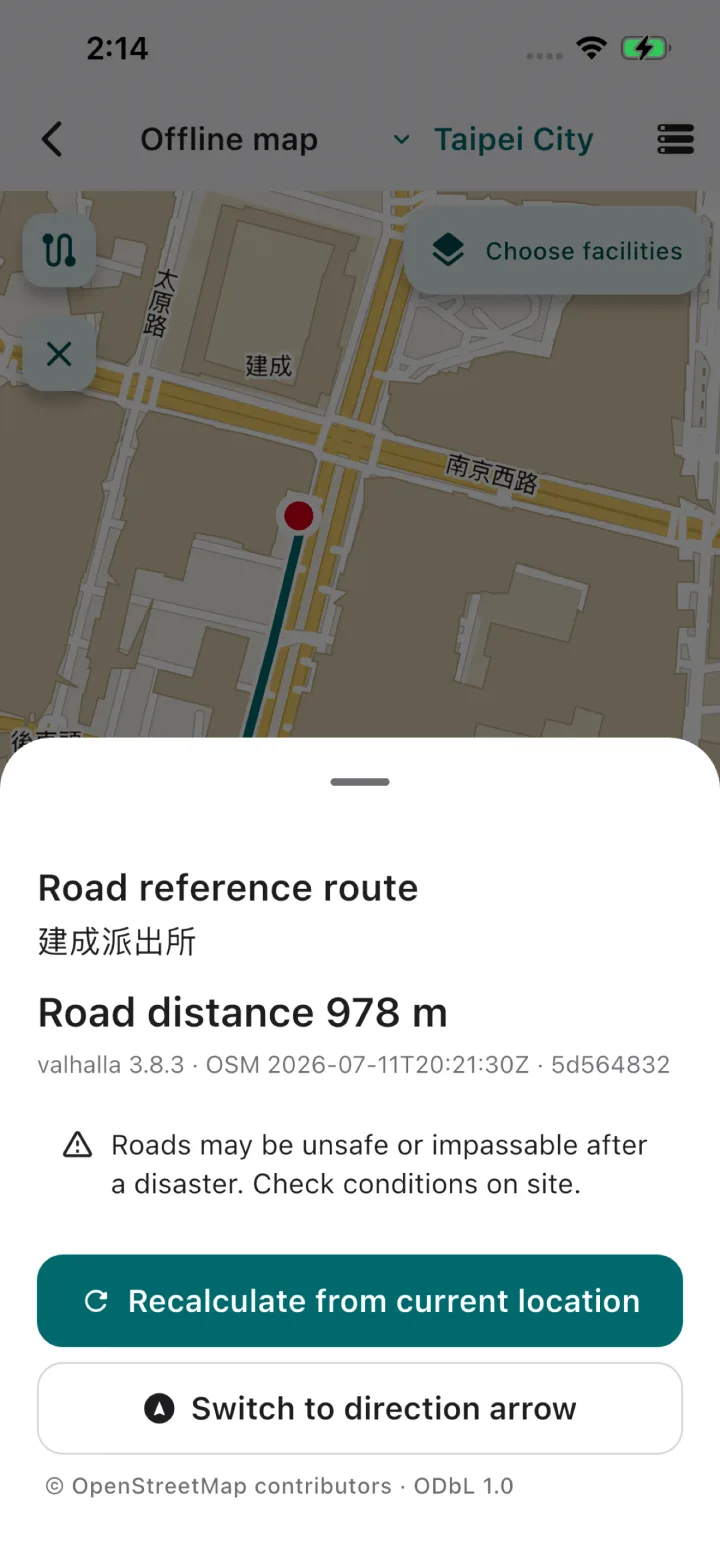
With map and signed road data installed, same-county reference routes calculate offline. This is not turn-by-turn navigation.
Earthquakes, fires, first aid and preparedness, with the authority, original URL and retrieval date preserved on every card.
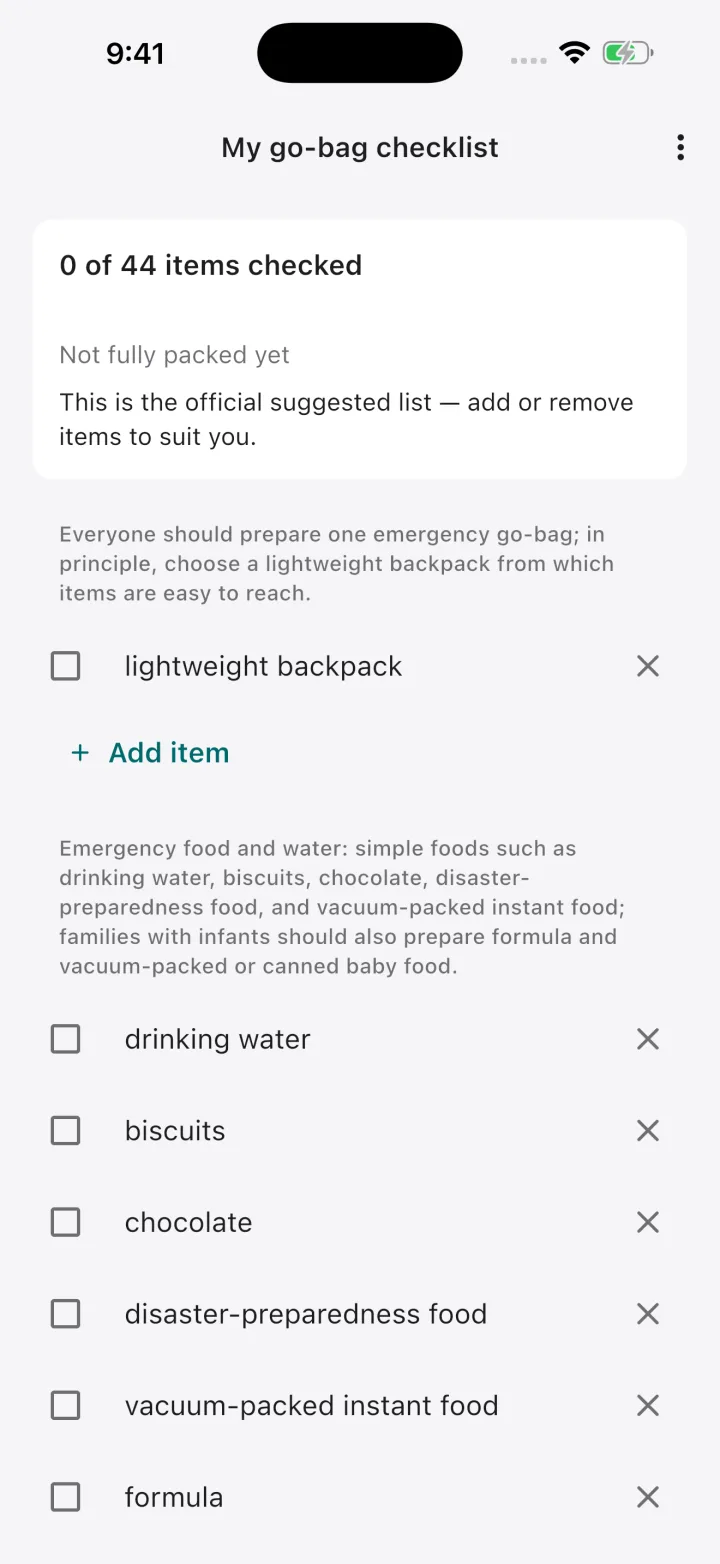
Start with 44 recommended items, then add, remove, check off and periodically review what your household needs.
See current or last-reliable coordinates, accuracy and time in large type, and copy them for responders even when offline.
Save up to 10 private places or add one by long-pressing the offline map, then share and selectively import them by QR code.
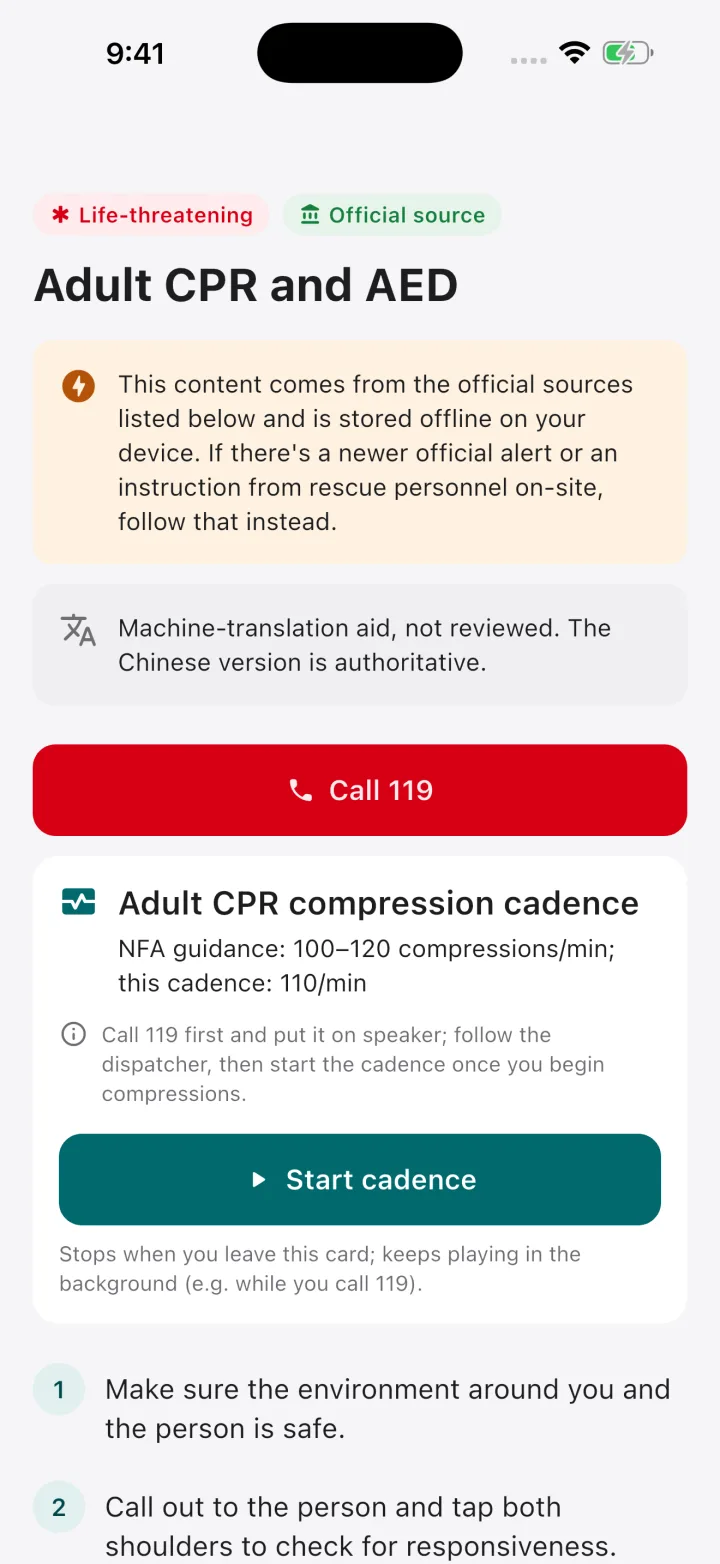
Flashlight, SOS light and whistle, CPR compression metronome, 119 dialler and an “I’m safe” SMS composer with optional coordinates.
A pure-black background, larger text and larger controls improve recognition in low light while reducing OLED power use.
Real app screens
Every screen was captured from the actual app. Map images use a simulated location and contain no user location or personal information.

More than an optional offline mode
Facility data for shelters, designated emergency hospitals, AEDs, police and fire/rescue units, plus guidance and survival tools, is bundled with the app. Larger detailed maps and road data are downloaded by county beforehand. Without them, the facility list, compass bearing and straight-line distance remain available.
How offline maps workPrivacy is a product boundary
There are no accounts, backend that stores user data, ads or trackers. Location is processed only while needed; contacts, settings and checklists are stored locally. When the app checks its public version, or when you check or download maps and road data, the CDN still processes standard connection data such as IP addresses. The Google ML Kit QR scanner receives limited technical metrics, not camera frames, QR content or places.
Read the full Privacy PolicyEntirely optional
Every Rescue Pocket feature is free to use. A contribution unlocks, removes or changes nothing. If the app has helped you, you can optionally support developer accounts, data hosting, device testing and ongoing maintenance.
Disaster and first-aid guidance is compiled from verifiable official government and public-domain sources. Rescue Pocket does not author life-safety content and has not been reviewed by independent medical or emergency-management professionals. Machine-assisted translations from Chinese are labeled in the app, and the Chinese version remains authoritative. In an emergency, official alerts, responders and professional medical judgement take precedence.